
How to Copy Trades to Multiple MT4/MT5 Accounts at Once (Free, 2026)
One master, unlimited slave accounts: how to mirror every trade across multiple MT4 and MT5 accounts on one PC or VPS with a free local trade copier.
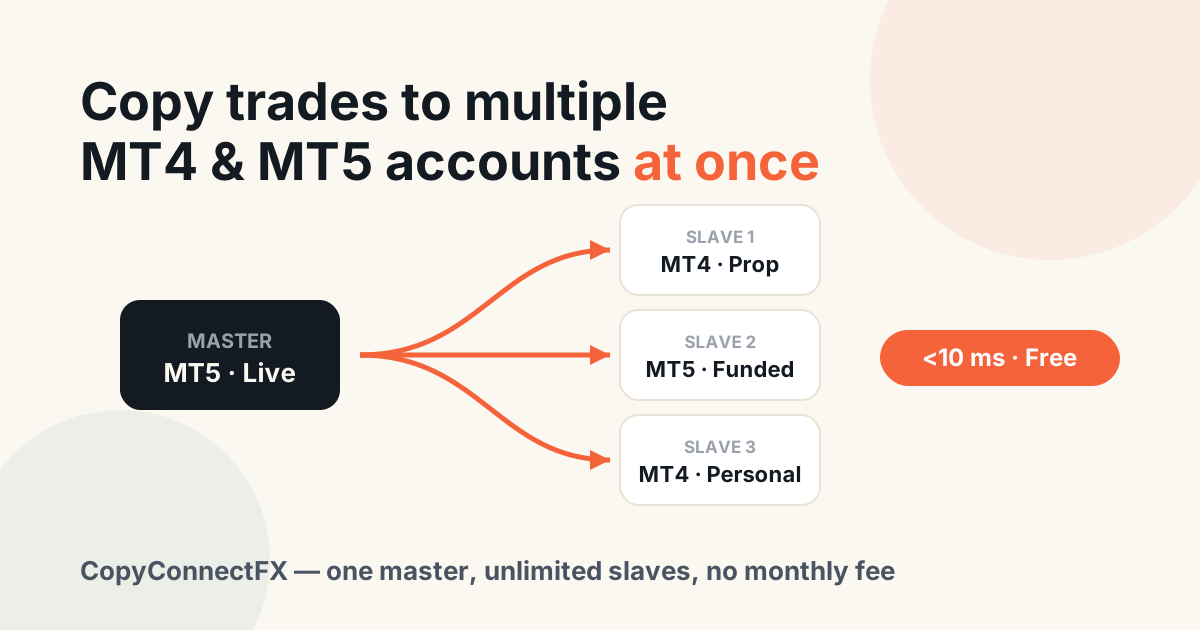
Short answer: to copy trades to multiple MT4/MT5 accounts simultaneously, run all the terminals on one Windows PC or VPS, put a Sender EA on the master account and a Receiver EA on each slave, and let a local trade copier mirror every trade event between them. With CopyConnectFX this is free, takes about 10 minutes to set up, and copies each trade in under 10 milliseconds.
This guide covers the one-master-to-many-slaves setup traders actually use: one signal source feeding several personal, funded and prop-firm accounts at once.
Why traders copy to multiple accounts
- Prop-firm scaling — trade one master and mirror it to several funded accounts, so a single decision earns on every account.
- Broker diversification — keep capital at different brokers but trade it as one book.
- Account management — mirror your strategy to family or client accounts (with the required permissions from your broker/regulator).
- Testing in parallel — the same trades on a demo and a live account, to compare real slippage and fills.
The architecture that makes it work: one machine, local copying
A local copier mirrors trades terminal-to-terminal on the same machine, so adding more slaves adds essentially zero delay — the 5th account gets the trade as fast as the 1st. Cloud copiers forward each trade over the internet, so every extra account is another network round-trip that can slip.
| Factor | Local (CopyConnectFX) | Cloud copier |
|---|---|---|
| Delay per slave | Under 10 ms, flat | 1–5 s, grows with load |
| Cost for 5 accounts | $0 | Often priced per account pair |
| Internet outage | Copying continues | All slaves stop |
| Credentials shared | None | All account logins on third-party servers |
Step-by-step: one master → many slaves
- Install every terminal on one PC or VPS. Each broker's MT4/MT5 installs side by side. A basic 8 GB Windows VPS handles a master plus 8–10 slaves.
- Create a free CopyConnectFX account and download the Sender and Receiver EAs from the dashboard.
- Attach the Sender EA to one chart on the master account.
- Attach the Receiver EA to one chart in every slave terminal, and pair each with the one-time code from your dashboard.
- Set per-account risk. Each Receiver chooses its own sizing mode — a funded account can trade risk-% while a small personal account uses a fixed lot. The lot size calculator helps you pick the numbers.
- Test with 0.01 lots. Open one small trade on the master and watch it appear on every slave — the dashboard shows the exact copy delay of each account.
The full click-by-click version (with screenshots of every EA input) is in the Get Started guide.
Per-account control that multi-account setups need
- Independent lot sizing on every slave — six modes, from same-lot to risk-%.
- Symbol mapping per slave for cross-broker naming (XAUUSD → GOLD).
- Filters — copy only certain symbols, directions or magic numbers to specific accounts.
- Equity protection per account — each slave can enforce its own daily-loss limit, which is what makes the setup prop-firm safe. Check your numbers with the prop-firm drawdown calculator.
- One dashboard — every machine, terminal, trade and copy delay in a single realtime view, with Telegram/email alerts if any terminal goes offline.
Honest limits
Local copying requires the terminals to run on the same machine. If your accounts must live on different computers in different locations, that is the one job a cloud copier exists for. And no copier makes a bad strategy profitable on five accounts instead of one — it only multiplies what the master already does.
One master, unlimited slaves, under 10 ms, $0. Set up your multi-account copier free — no card, no license keys.
Frequently asked questions
How do I copy trades to multiple MT4 or MT5 accounts at the same time?+
Run every terminal on one Windows PC or VPS, attach the CopyConnectFX Sender EA to the master account and the Receiver EA to each slave account, then pair them with a free code. Every trade on the master is mirrored to all slaves in under 10 milliseconds — including SL/TP changes and partial closes.
How many slave accounts can one master feed?+
There is no artificial limit in CopyConnectFX. The practical limit is your machine's resources — each MetaTrader terminal uses roughly 300–500 MB of RAM, so a typical 8 GB VPS comfortably runs a master plus 8–10 slaves.
Can each slave account use a different lot size?+
Yes. Every Receiver EA sets its own sizing mode independently: same lot, fixed lot, multiplier, balance ratio, equity ratio or risk-% per trade — so a $200,000 funded account and a $500 personal account can safely follow the same master.
Is copying to multiple prop-firm accounts allowed?+
Copying between your own accounts is permitted by most prop firms, but every firm writes its own rules — some restrict copying the same trades across multiple challenges of the same firm. Read your firm's terms on copy trading and consistency before going live.
Do all accounts need to be with the same broker?+
No. Master and slaves can be at completely different brokers and even on different platforms (MT4 and MT5 mixed). If symbol names differ, such as XAUUSD vs GOLD, symbol mapping in the Receiver EA handles the translation.
Keep reading
Copy trades between MT4 & MT5 in milliseconds
Free local trade copier with a realtime web dashboard. Set up in 10 minutes — no coding.
Get Started Free