
Local vs Cloud Trade Copiers: The Speed and Safety Difference Explained
1–5 seconds of cloud delay vs under 10 ms locally — and what happens to each when the internet dies.
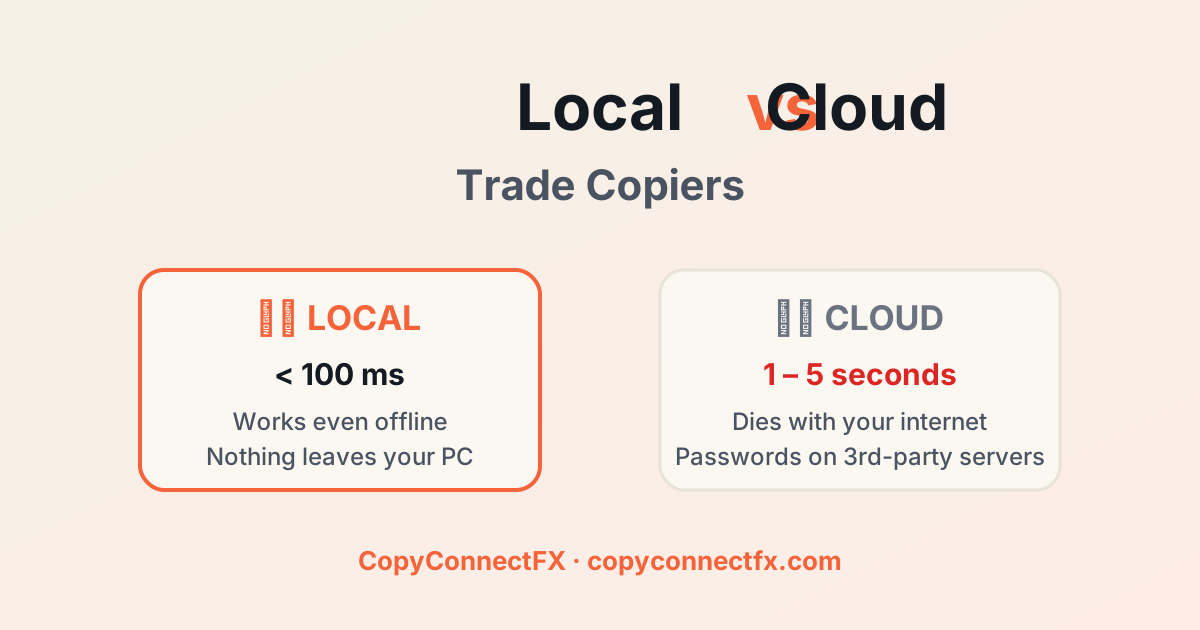
Every trade copier ad says "lightning fast". Architecture, not adjectives, decides whether that's true. Let's look at what actually happens to your order in each design — and what it costs you.
The journey of one copied trade
Cloud copier
- Master terminal detects the trade → uploads it to the copier company's server (50–300 ms, plus your ping).
- Server processes, checks your subscription, queues the copy (100 ms – 2 s under load).
- Server pushes the order to your slave account — often by logging into it from their infrastructure (another 100–500 ms).
- Broker executes at whatever the price is now.
Local copier (CopyConnectFX)
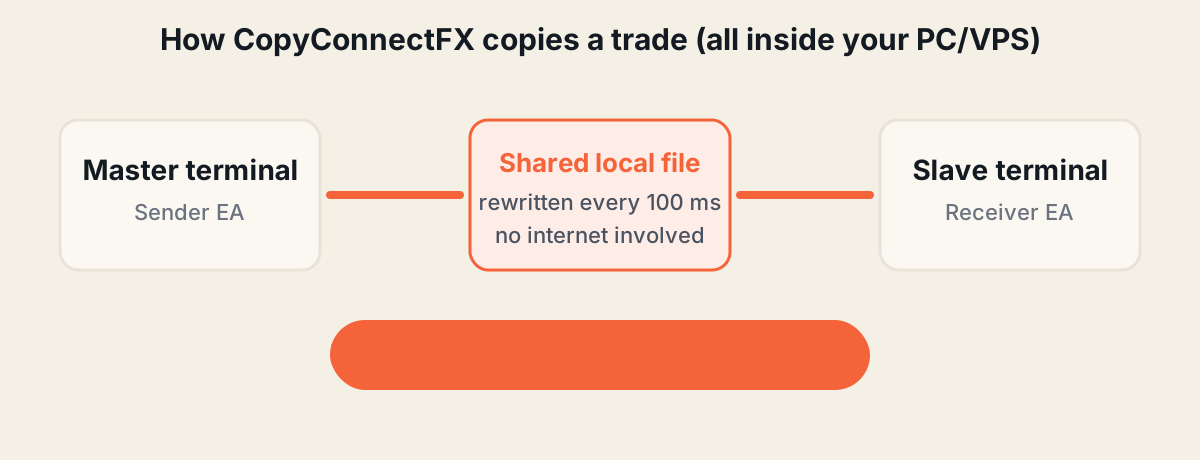
- Sender EA publishes the trade to a shared file inside your machine — every 100 ms and on every tick.
- Receiver EA reads it and executes. Same machine, no network. Done.
The dashboard even displays the measured delay of every single copy — typical values are double-digit milliseconds.
What latency actually costs: slippage
Suppose gold moves 30 points in the 2 seconds a cloud copier needs. On a 0.10-lot XAUUSD copy that's about $3 lost per trade versus the master. A strategy taking 200 trades a month silently loses ~$600/month to latency — often more than the copier's subscription fee, and invisible unless you measure per-trade delay like CopyConnectFX does.
Failure modes: the honest comparison
| Scenario | Local (CopyConnectFX) | Cloud copier |
|---|---|---|
| Your internet drops | Copying unaffected; dashboard pauses | Copying stops; open trades unmanaged |
| Copier company's servers down | Copying unaffected | Copying stops |
| Terminal restarts mid-trade | State reconciles automatically on restart | Depends on vendor; missed events common |
| Company shuts down / bans region | Copier keeps working forever | Service gone |
| Data breach at vendor | Nothing to leak — credentials never left your PC | Your account logins may be exposed |
"But I still want remote monitoring"
That's the part the cloud is good for — and it's exactly how CopyConnectFX splits the job: execution stays 100% local, monitoring goes to the web. Your dashboard shows every machine, account, trade and copy delay in realtime from any device. But the dashboard is read-only by design — even our own servers cannot place, modify or block a trade on your accounts.
When cloud genuinely wins
Fairness check: if the master runs in one country and the slave must run in another (separate owners, separate machines), local copying can't bridge them. For everyone else — one trader, one PC or one cheap VPS — the local architecture is faster, cheaper (free, in our case) and strictly safer.
See the difference yourself: set up CopyConnectFX in about 10 minutes, open one trade, and watch the measured delay on your dashboard.
Frequently asked questions
How much faster is a local trade copier than a cloud copier?+
A local copier like CopyConnectFX typically copies in under 10 milliseconds. Cloud copiers add one or two internet round-trips plus server processing, commonly totalling 1–5 seconds per trade.
Does trade copier delay really cost money?+
Yes — it's paid as slippage. On volatile symbols like gold, prices can move dozens of points in two seconds. Across hundreds of copied trades, cloud latency compounds into a meaningful performance gap between master and slave.
What happens to copying if the internet disconnects?+
A cloud copier stops entirely — open trades are left unmanaged. A local copier keeps copying at full speed because the terminals talk to each other inside the same machine; only dashboard monitoring pauses.
Is there any reason to choose a cloud copier?+
Only one: when your accounts must run on physically different machines in different locations. If your terminals can share one PC or VPS, local copying is faster, safer and cheaper.
Keep reading
Copy trades between MT4 & MT5 in milliseconds
Free local trade copier with a realtime web dashboard. Set up in 10 minutes — no coding.
Get Started Free