

Best Cheap VPS for Forex Trading in 2026: What Actually Matters (and What Doesn't)
How to choose a forex VPS for MT4/MT5 without overpaying: the RAM you really need per terminal, why location matters more than CPU, and how a local trade.
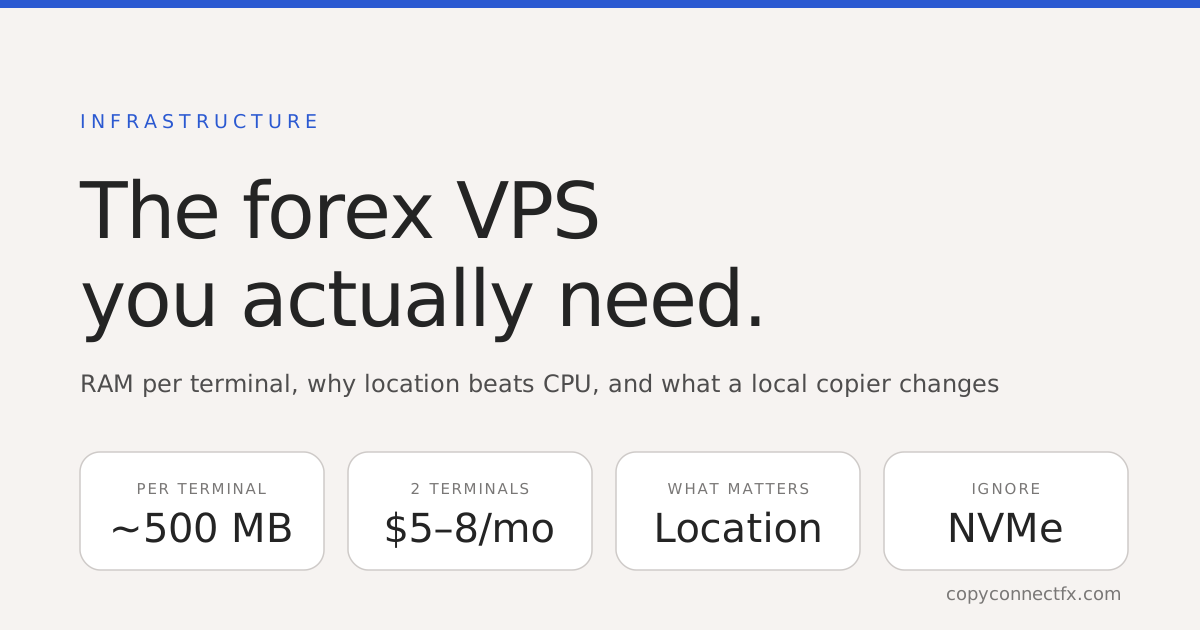
Short answer: for MT4/MT5 you need a Windows VPS with about 1 GB of RAM per two terminals, located near your broker's server — and almost nothing else. Most "forex VPS" marketing sells CPU cores and NVMe speed that MetaTrader will never use. Spend on RAM and location; save on everything else. If you are running a local trade copier, the location question mostly disappears too.
What a MetaTrader terminal actually uses
MetaTrader is old, single-threaded software that spends 99% of its time waiting for ticks. A terminal with two EAs attached idles at 1–3% CPU and 300–600 MB of RAM. It does not need a fast disk, it does not benefit from multiple cores, and it does not care about GPU. The only resource that fills up as you add terminals is RAM — and Windows itself takes the first gigabyte.
| Terminals | RAM to buy | Typical price | Notes |
|---|---|---|---|
| 1–2 | 2 GB | $5–8 / month | One master + one slave, or one account with analytics |
| 3–5 | 4 GB | $9–15 / month | One master + several slaves — the common copier setup |
| 6–10 | 8 GB | $18–30 / month | Prop-firm portfolios, multiple brokers |
Anything advertising 4+ CPU cores for a single-terminal plan is charging you for headroom you cannot use.
Why location beats specification
Your order travels from the VPS to the broker's trade server and back. From a VPS in the same data-centre region that is 1–5 ms; from your home connection across a continent it can be 100–300 ms with jitter. For a scalper or news trader that gap is the difference between the price you clicked and the price you got. So the one specification that matters is where the VPS is: London for most European brokers, New York for US-facing ones, Amsterdam and Frankfurt as common alternates, Singapore or Tokyo for Asian brokers. Ask your broker where their trade server sits (it is usually in the account details), and buy the VPS in that city.
How a local trade copier changes the maths
If your VPS exists to run a trade copier, one thing simplifies: the copy itself never crosses the network. A local copier passes trades between terminals through files on the same machine — copy latency is single-digit milliseconds regardless of where the VPS is, and it keeps copying if the VPS loses internet. Location then matters only for the slave terminals' fills to their brokers, which is the same consideration as any single account. What you gain is that all your terminals — master and slaves — live in one place, on one bill, and one reboot restarts everything.
What to ignore
- "NVMe SSD" and disk speed. MetaTrader writes a few kilobytes of logs a minute.
- Multiple CPU cores. One core runs several terminals. Cores matter only if you backtest on the VPS — and you should backtest at home.
- "Optimised for forex" images. Usually a plain Windows Server with MetaTrader pre-downloaded. Nice, not worth a premium.
- Uptime guarantees above 99.9%. Every provider claims them; what matters is whether the console lets you reboot instantly when a terminal hangs.
Free broker VPS — the small print
Many brokers offer a "free VPS" once you trade a minimum volume — often 5–10 lots a month — or hold a minimum balance. The catch is that it is cancelled without much warning the month you fall under, and if you were only trading that volume to keep the VPS, you paid more in spread than a $7 VPS costs. Take the offer if you naturally qualify; otherwise a small paid Windows VPS is the cheaper, calmer option.
Setting up MetaTrader on the VPS
- Choose a Windows Server image (2019 or 2022 are both fine).
- Connect with Remote Desktop, install MetaTrader once per account — portable mode keeps each install self-contained.
- Log each terminal into its account and let it download history overnight the first time.
- Attach your EAs. For a copier: Master on the source terminal, Slave on each destination — the 10-minute setup guide walks through it, and the video tutorials show every click.
- Close Remote Desktop with the terminals still running — they keep going. If a terminal shows offline on your dashboard, that is your cue to log back in.
Prop-firm traders: one extra check
Some prop firms flag accounts logging in from data-centre IP ranges, and a few prohibit copiers outright — usually across different firms' accounts. Read the firm's rules on VPS and copying before you set one up; our prop-firm copier guide covers what is generally allowed and how equity protection keeps a copied account inside daily-loss limits.
Frequently asked questions
How much RAM does a forex VPS need for MT4/MT5?+
Budget roughly 400–600 MB per MetaTrader terminal with a couple of EAs, plus 1 GB for Windows itself. Two terminals run comfortably on 2 GB; four to five terminals want 4 GB. Beyond that, RAM matters far more than CPU — MetaTrader is mostly idle.
Does VPS location matter for a trade copier?+
For a local copier, no — master and slaves are on the same machine, so the copy never crosses the network. Location matters for your order fill time to the broker: pick a VPS in the same city or region as your broker's trade server (London, New York, Amsterdam, Singapore are the common ones).
Do I need a VPS to run a trade copier?+
Only if you want copying to continue when your own PC is off. The copier itself runs fine on a home PC. A VPS buys 24/5 uptime and a stable connection to the broker — nothing else.
Windows or Linux VPS for MetaTrader?+
Windows. MT4 and MT5 are Windows programs; Linux works only through Wine and is a constant source of odd bugs. Every serious forex VPS provider offers Windows Server images by default.
Are free forex VPS offers from brokers worth it?+
Sometimes — but read the conditions. Most require a minimum monthly lot volume or balance, and cancel silently when you fall under. If your trading does not naturally meet the requirement, a paid $5–10 VPS is cheaper than trading more to qualify.
Can I run several MT4/MT5 terminals on one VPS?+
Yes — that is the normal setup for a copier: one master terminal and one slave per receiving account, all on the same VPS. Install MetaTrader once per account (portable mode makes this tidy) and size RAM by terminal count.
Keep reading
Copy trades between MT4 & MT5 in milliseconds
Free local trade copier with a realtime web dashboard. Set up in 10 minutes — no coding.
Get Started Free